LESS PAPERWORK. MORE PARKING.

Run your entire parking operation.

Find vehicles faster. Keep renewals and payments in sight. Run monthly, daily, corporate and valet parking with less manual work — or let our team run it for you.

Your software. Your on-ground team.
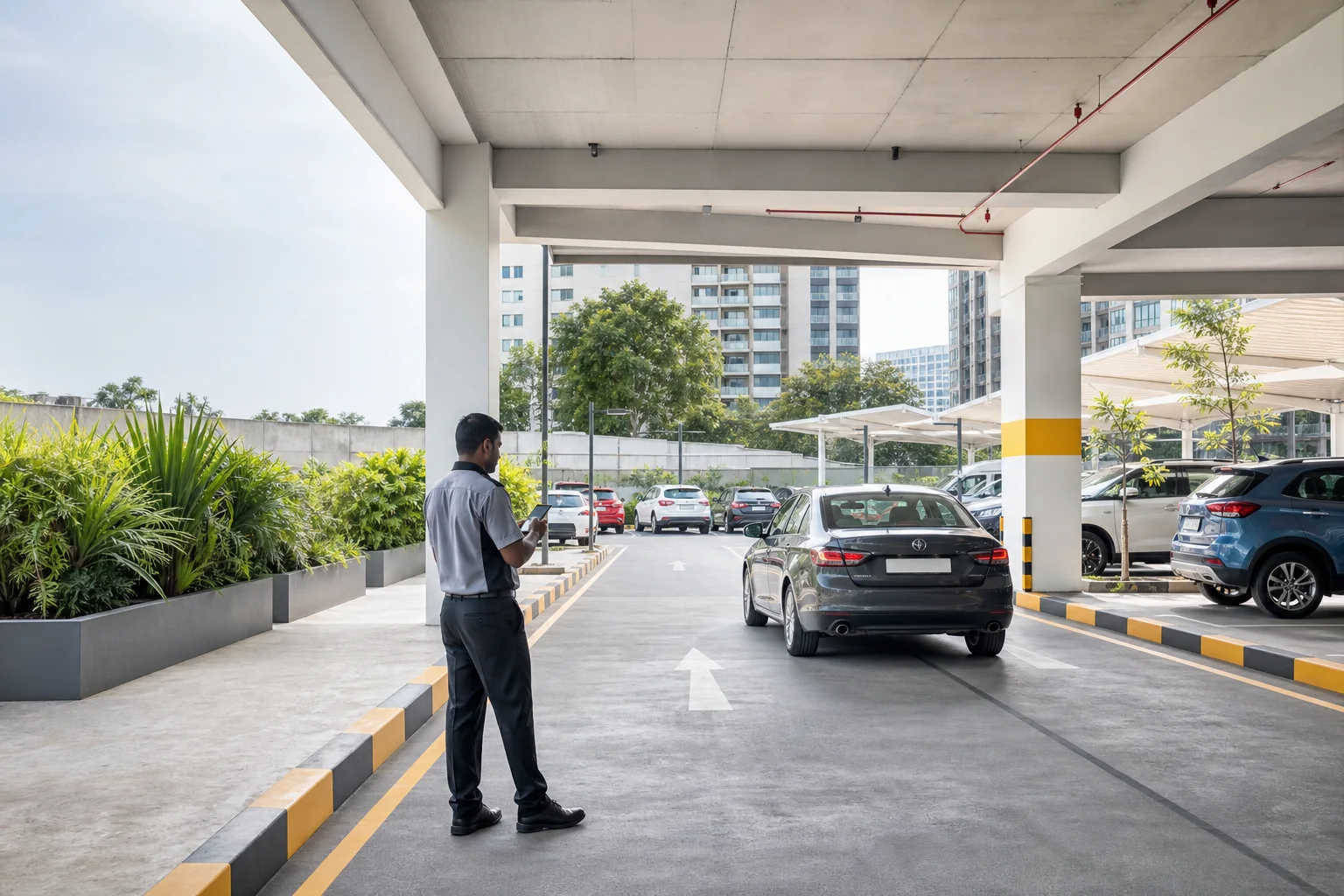
Parking attendant managing vehicles at a property PEOPLE + TECHNOLOGY + OPERATIONS
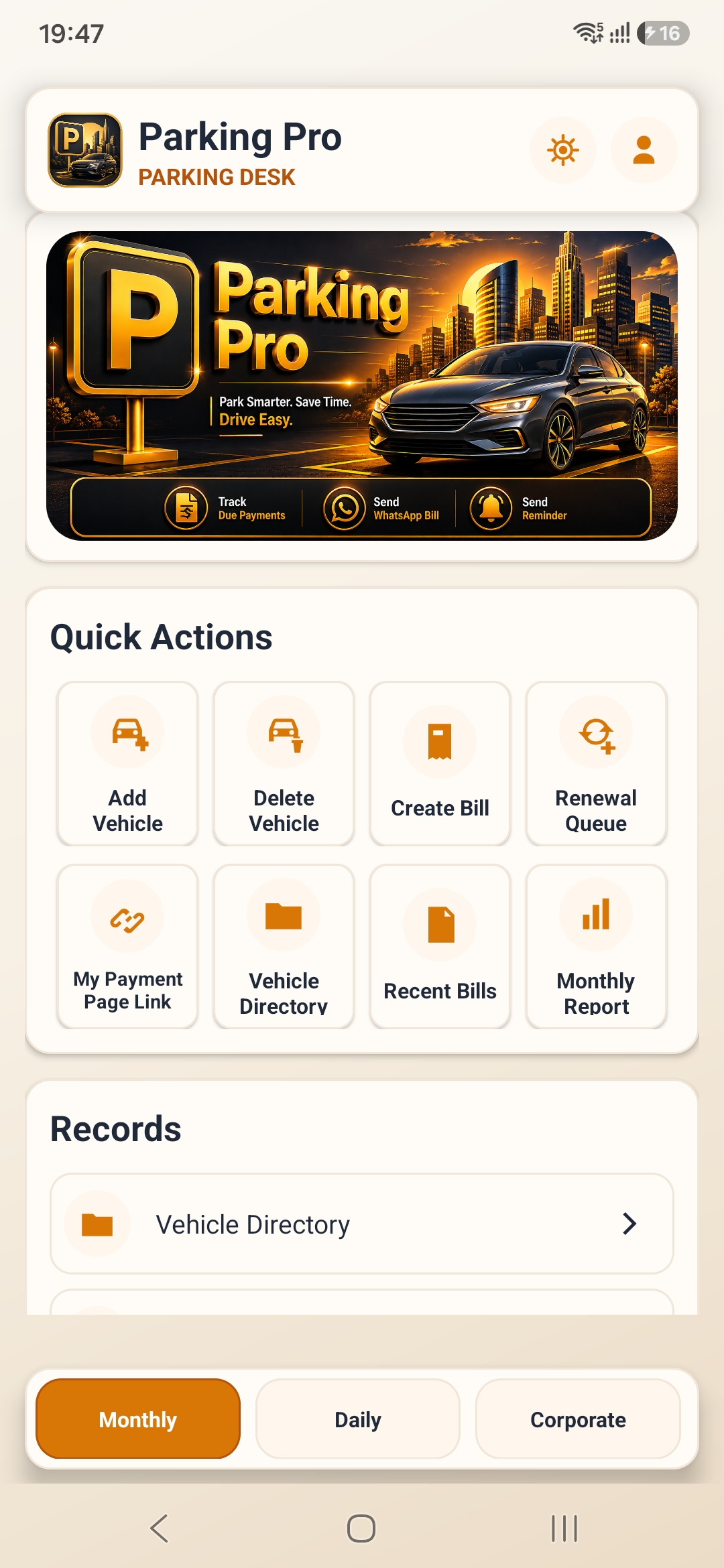
Parking Pro Android app showing monthly vehicle, billing and renewal tools
Less searching. More control.From the entry gate to the final receipt.
Actual Parking Pro app screen

CHOOSE HOW YOU OPERATE

One platform.
Two ways to run your parking.

Keep your team in control with our software.
Or put the whole operation in our hands.

01 / MANAGE IT YOURSELF

Run it
yourself.
Parking Pro software

Spend less time on registers and repeat billing. Give your team searchable vehicle records, clear receipts and the access they need.

MonthlyDailyCorporateValet
For parking owners & operatorsExplore the software
02 / LET US MANAGE IT

We run it
for you.
End-to-end managed parking

Trained parking staff, Parking Pro technology and day-to-day operational management. One team responsible for the operation.

Parking operations on the ground
People+Technology+Operations
For businesses & propertiesMeet your parking solution

THIS IS PARKING PRO SOFTWARE

Your entire parking desk.
Inside one app.

Less time managing parking records. More time running the parking operation. Choose a module to see how it helps your team.

LESS MONTHLY ADMIN

Keep renewals moving. Keep dues in sight.

Find regular customers, prepare their bills and see who still needs to pay. Less register hunting. Less repetitive monthly work.

  • Find vehicle, contact and slot details in one searchable directory
  • Track renewals and pending payments so collections are easier to follow up
  • Keep assigned spaces linked to the right customer and vehicle
  • Print, download or share receipts without writing another slip
Actual Parking Pro monthly parking dashboard
Actual app screen · appearance varies by version

LESS WAITING AT THE GATE

Move the queue. Keep the record.

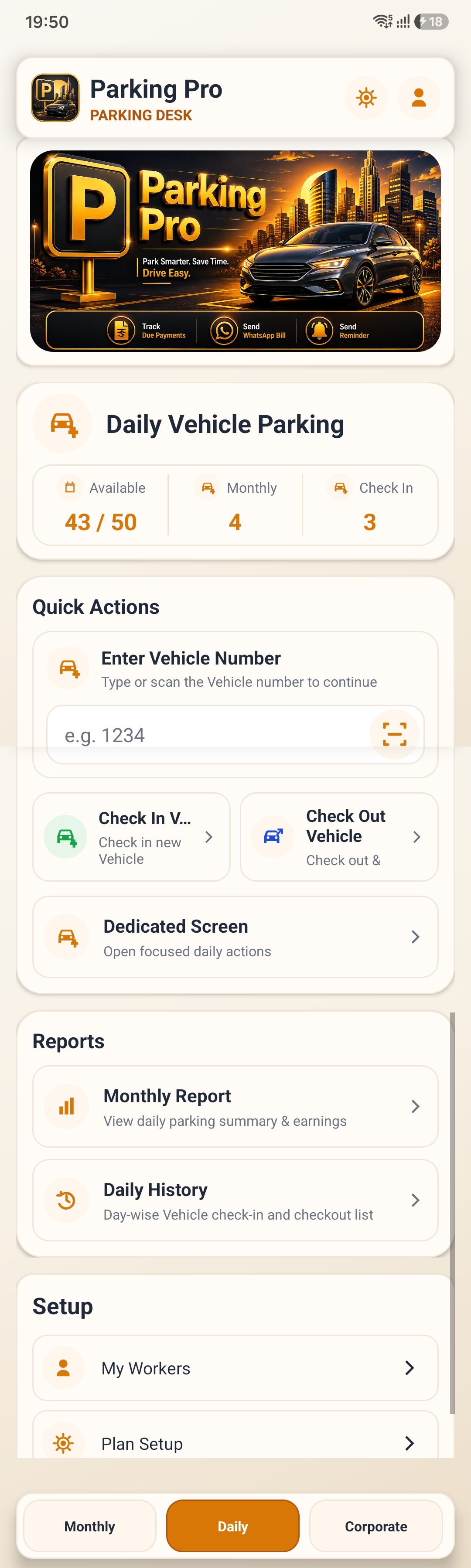
Scan or enter a vehicle number at arrival. Find its session by number or receipt QR at checkout, so your team spends less time searching while vehicles wait.

  • Record check-in without writing a paper register
  • See which vehicles are still inside at a glance
  • Scan the receipt QR to find the right session at checkout
  • Keep entry, exit and receipt records together for later checks
Actual Parking Pro daily parking dashboard
Actual app screen · appearance varies by version

CONNECTED COMPANIES. CLEAR CONTROL.

Company parking. Less back-and-forth.

Bring company connections, vehicle access and reserved-slot requests into one place. Keep approvals clear without maintaining a separate register for every organisation.

  • Connect companies through your PP ID, with owner approval
  • Keep approved company vehicles in one organised directory
  • Track slot requests and access dates without separate spreadsheets
  • Choose what each company can register or request
Actual Parking Pro corporate parking dashboard
Actual app screen · appearance varies by version

KNOW THE VEHICLE. KNOW THE SLOT.

Less searching. Smoother handovers.

Keep each active vehicle, customer and parking slot together. Your valet team can find the right record when it is time to return the vehicle.

  • Keep vehicle and customer details together for easier coordination
  • Record a slot so the team knows where to find the vehicle
  • Separate active sessions from completed handovers
  • Keep session history and give workers only the access they need
VALET WORKFLOW · ILLUSTRATION
A place for every handover.
VehicleRegistration number
CustomerName & mobile
ParkingAssigned slot
SessionActive → Checked out
THE DAILY PARKING WORKFLOW
  1. Vehicle arrives
  2. Check in
  3. Receipt / QR
  4. Parking
  5. Checkout
  6. Payment / receipt
Parking Pro

A CLEAR RECORD AT EVERY STEP

01 / MonthlyBills & renewals
02 / Daily entryCheck-in receipt + QR
03 / Daily exitCheckout receipt
PRINTPDFWHATSAPP

Receipt workflow illustration

Recorded. Ready to share.

RECEIPTS & PAYMENTS

Clear receipts.
Fewer payment questions.

Give customers proof of parking and a clear record of charges. Keep your team’s payment details linked to the right parking record.

  • QR receipts help staff locate the right daily session at checkout
  • Bluetooth printing gives customers a physical copy at the counter
  • PDF downloads keep a digital copy ready to save or share
  • WhatsApp sharing sends a receipt without printing another copy
  • UPI QR and payment-page links put configured payment options within reach

Online payment options depend on the owner’s setup and the enabled payment flow. Ask us about the options available for your parking operation.

Explore billing & receipts

STAFF & COMPANY PERMISSIONS

Your parking.
Your team.
Your permissions.

Give staff only the access they need. Share your PP ID with workers or companies so they can request a connection to your parking operation. You approve access.

  • Let a daily-parking worker handle daily operations without opening monthly billing
  • Choose which modules and actions each worker can use
  • Control company registration and reservation requests separately
Parking ownerYour unique PP ID
ADMIN
Your workersAssigned module access
Linked companiesApproved parking access

YOU CHOOSE WHAT EACH USER CAN DO

MonthlyDailyCorporateValet
Permission structure illustration

FROM SIGN-IN TO YOUR FIRST VEHICLE

Set up once.
Get your parking moving.

Set your rates, connect your people and start recording vehicles. The same setup helps your team work consistently.

Start with Parking Pro
  1. 01

    Create your account

    Sign in with Google or email. Your PP ID lets workers and companies request a connection to your parking.

  2. 02

    Set consistent rules

    Configure capacity, vehicle types, plans, rates and billing rules so your team has the right setup from the start.

  3. 03

    Connect your people

    Share your PP ID with workers and companies, then approve the connections you need.

  4. 04

    Give the right access

    Choose each user’s modules and actions. Staff can focus on their work while you keep administrative control.

  5. 05

    Record the first vehicle

    Start with monthly, daily, corporate or valet parking. Keep vehicle details in the app instead of a separate register.

  6. 06

    Review what needs attention

    Use receipts, pending payments, history and reports to follow up on your operation without collecting paper records.

BUILT FOR REAL PARKING OPERATIONS

Less admin.
More control.

Spend less time finding records, repeating entries and counting activity by hand.

Less dependence on paper

Digital records, cloud synchronisation and backups help keep your records organised. Local workflows support offline work; connected actions need internet access.

Less waiting. Clearer records.

Vehicle search and receipt QR lookup help staff find the right session faster. Printed or digital receipts give customers a record they can keep.

See what needs attention

Review vehicle counts, bills and parking activity in the available reports. Pending-payment records help you follow up on collections, with less manual checking.

Help your team feel at home

The app supports English, Hindi and Hinglish, plus light, dark and AMOLED modes. Staff can work in the language and appearance they prefer.

THE OTHER WAY TO USE PARKING PRO

Don’t want to manage parking?
We’ll run it for you.

Bring in the people, the technology and the operational management together. Our team handles day-to-day parking so you don’t have to supervise it yourself.

Talk to our parking team
On-ground parking attendant coordinating an arriving vehicleON THE GROUND. IN THE APP. UNDER CONTROL.
01 / PEOPLE

A team on the ground.

Trained parking staff, customer coordination and shift supervision.

02 / TECHNOLOGY

One connected platform.

Vehicles, reserved slots, receipts and parking records in Parking Pro.

03 / OPERATIONS

The everyday, handled.

Entry, exit, allocation, issue resolution and day-to-day management.

A considered start. A managed operation.

Explore the service
  1. 01

    Assess

    Your property, capacity, vehicle flow and requirements.

  2. 02

    Configure

    Parking Pro set up for the way your property operates.

  3. 03

    Deploy

    Trained staff assigned to your parking operation.

  4. 04

    Operate

    Daily activity handled by our on-ground team.

  5. 05

    Monitor

    Vehicles, receipts and usage visible through Parking Pro.

  6. 06

    Improve

    Processes adjusted as your parking needs change.

WHERE PARKING NEEDS AN OPERATION

Different properties.
The same need for control.

For owners, operators and organisations coordinating vehicles, people and parking space.

Residential societiesApartmentsOffice buildingsCorporate parksCommercial propertiesShopping centresHospitalsHotels & restaurantsEvent venuesSchools & collegesPrivate parking facilitiesValet operatorsProperty managers

A FEW THINGS TO KNOW

Clear from
the start.

Talk to Parking Pro
Is Parking Pro for parking operators or drivers?

Parking Pro is built for parking operations. Owners and operators manage vehicles, bills, receipts, payments, staff, companies and reports. It is not a consumer parking-discovery app.

Can I use the software with my existing staff?

Yes. Your workers connect using your PP ID, and you control which monthly, daily, corporate and valet modules they can use.

Can Parking Pro manage the whole parking operation?

Yes. Our managed parking service brings trained on-ground staff, Parking Pro technology and operational management together. Talk to our team to discuss your property and agree the scope.

How do I get the app?

Download Parking Pro for Android using the Google Play link on this page. Sign in, configure your parking and connect your team.

Does the app support online payments?

Parking Pro supports UPI QR and customer payment-page workflows. Available payment options depend on the owner’s configuration and enabled payment flow. Contact us to discuss your setup.

YOUR PARKING. YOUR NEXT MOVE.

The technology to run it.
The team to run it for you.

Spend less time managing records and more time running your parking. Get the app, or talk to us about managing the operation for you.

Android app for your team · Managed operations for your property
Get the appManaged parking
